
Short Answer
Overview
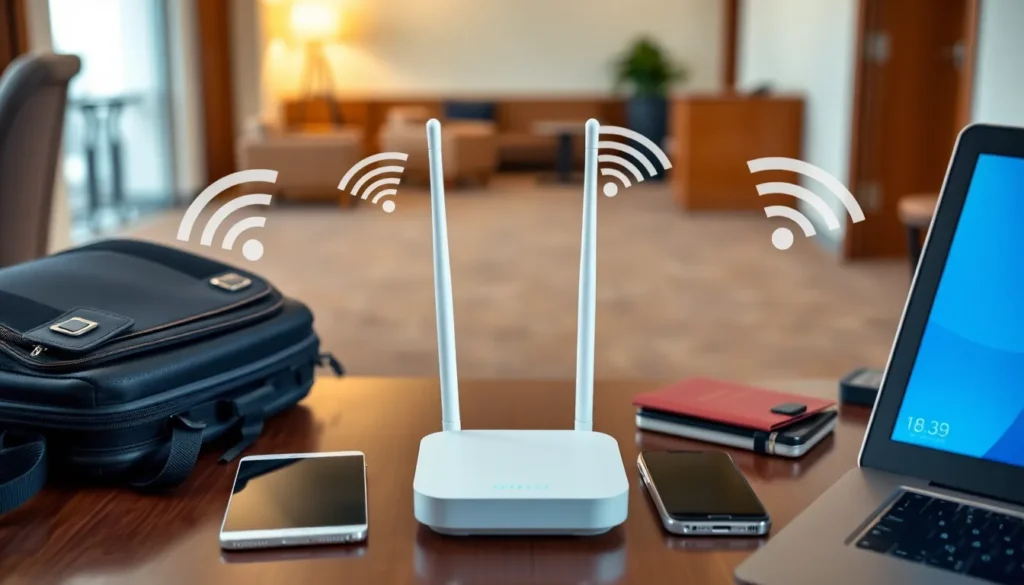
A travel router is a small, portable device that facilitates internet connectivity for multiple devices by creating a local wireless network. It is commonly used by travelers to share a single internet connection, such as hotel Wi-Fi or a wired Ethernet, with various personal devices like smartphones, laptops, and tablets. Travel routers often provide enhanced security features, improved connection stability, and convenience, making them useful tools for maintaining internet access while on the move.
Detailed Explanation
Travel routers are designed to be compact and lightweight, making them suitable for frequent travelers who require a reliable and flexible internet connection. Unlike standard routers used in homes or offices, travel routers typically have features tailored for portability and ease of setup. These devices can connect to existing wired or wireless networks and then rebroadcast the connection over a secure Wi-Fi network to multiple client devices. They may also offer additional functionalities such as acting as a wireless range extender, a Wi-Fi hotspot, or a network switch.
Travel routers can support various internet sources, including Ethernet cables, public Wi-Fi networks, or cellular modems. Some models include USB ports for connecting mobile broadband devices, allowing users to create their own personal Wi-Fi network wherever cellular coverage exists. The device usually includes security options like WPA2 encryption, firewall settings, and sometimes VPN support to protect user data on unsecured networks.
How It Works
The primary function of a travel router is to receive an internet connection from an existing source and then create a new Wi-Fi network that multiple devices can use. When connected to a wired Ethernet port in a hotel room, the travel router converts that wired connection into a wireless signal, allowing multiple devices to connect simultaneously without requiring individual authentication for each device on the hotel’s network.
When used with public Wi-Fi, the travel router connects to the open or password-protected network and then shares it through its own Wi-Fi network, often with better encryption and security. This setup can help isolate connected devices from the potentially insecure public network and reduce exposure to cyber threats.
Some travel routers have dual-band Wi-Fi capabilities, supporting both 2.4 GHz and 5 GHz frequencies to optimize speed and reduce interference. Users typically manage settings via a web interface or a mobile app, where they can configure the network name, password, security options, and connection type.
Examples
- Hotel Room Ethernet Sharing: A traveler uses a travel router to convert a hotel’s single Ethernet port into a private Wi-Fi network, enabling multiple devices to connect securely.
- Public Wi-Fi Enhancement: While in a cafe offering free Wi-Fi, the travel router connects to the open network and creates a secure local network for a user’s devices, providing added encryption and firewall protection.
- Mobile Broadband Hotspot: A travel router with a USB port connects to a cellular modem to create a personal Wi-Fi hotspot in remote areas without fixed internet infrastructure.
Pros and Cons
- Pros:
- Portable and lightweight, ideal for travel
- Allows multiple devices to share a single internet connection
- Enhances security by creating a private network over public Wi-Fi
- Offers flexible connectivity options (wired, wireless, cellular)
- Can improve connection stability and reduce device authentication issues
- Cons:
- Additional device to carry and manage during travel
- Requires some technical knowledge for optimal setup
- Dependent on the quality of the source internet connection
- Battery life limitations if not connected to power
- Potential compatibility issues with some networks or devices
Comparison Table
| Aspect | Travel Router | Standard Home Router |
|---|---|---|
| Meaning | Portable device to share and secure internet connections during travel | Fixed device to manage home or office networks |
| Portability | Compact and lightweight | Larger, designed for stationary use |
| Power Source | Often USB-powered or battery-supported | Requires continuous AC power |
| Setup Complexity | May require manual configuration for various networks | Typically plug-and-play with some setup |
| Security Features | Focus on secure connections over public networks | Designed for trusted home environments |
Decision Checklist
- Use this if: You frequently travel and need to connect multiple devices securely to various networks.
- Avoid this if: You primarily use a fixed internet setup with no need for portability or sharing multiple connections.
- Check this first: Compatibility with your intended internet sources (hotel Ethernet, public Wi-Fi, cellular modems) and power options.
What is the easiest way to understand a Travel Router?
The simplest way to understand a travel router is to think of it as a compact device that takes one internet connection—whether from a hotel cable or public Wi-Fi—and creates a small, private Wi-Fi network that you and your devices can use securely and conveniently while on the move.
FAQ
Can a travel router improve hotel Wi-Fi connections?
Yes, a travel router can create a private Wi-Fi network from a hotel's wired or wireless internet connection, allowing multiple devices to connect securely and sometimes improving connection stability.
Do travel routers require power adapters?
Most travel routers can be powered via USB or battery, making them convenient for use without standard power outlets, although some models may require AC power depending on their design.
Is a travel router necessary if I already have a smartphone hotspot?
A smartphone hotspot provides internet access to multiple devices, but a travel router offers additional features such as better security, connection sharing from wired sources, and sometimes improved signal management, making it useful in scenarios where smartphone hotspots are insufficient.


Leave a Reply